
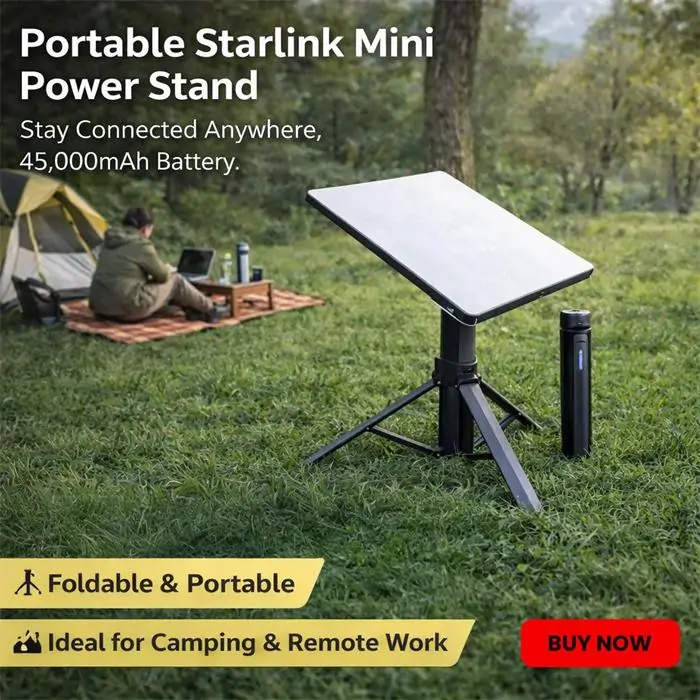
Upgrade your Starlink Mini setup with the right accessories, and this small satellite internet kit becomes much easier to use in cars, RVs, campsites, temporary work areas, boats, and off-grid spaces. The Starlink Mini is already built for portability. It has a compact body, built-in Wi-Fi, and DC power support, which makes it attractive for users who need internet outside a fixed home setup. Starlink’s official Mini specification sheet lists a 12–48V DC input rating, 60W power rating, and average power use of about 25–40W, while the Mini product page notes its built-in Wi-Fi 5 router and backpack-friendly size.
A basic Starlink Mini kit can get you online, but accessories decide how stable, safe, and convenient your setup feels. The right mount keeps the dish steady. The right cable keeps power reliable. The right carrying case protects your investment. The right adapter lets you use Starlink Mini from a vehicle, power station, or outdoor battery system.
This guide explains the essential Starlink Mini accessories worth considering, what each one solves, and how to choose the best setup for different use cases.
Starlink Mini is designed for mobility, but real-world use is rarely as simple as placing the dish on a flat surface.
You may need to use it:
Each situation brings different problems. Wind can move the dish. Long cables can create voltage drop. Rain can damage poor connectors. A loose setup can be stolen or knocked over. A messy power system can cause random dropouts.
That is why Starlink Mini accessories are not just “extras.” They help the system work more reliably.
A good accessory setup should improve four things:
If your Starlink Mini is used only at home once in a while, you may need only a case and a mount. If you use it for RV travel or mobile work, power adapters, cable protection, and stronger mounting tools become much more important.
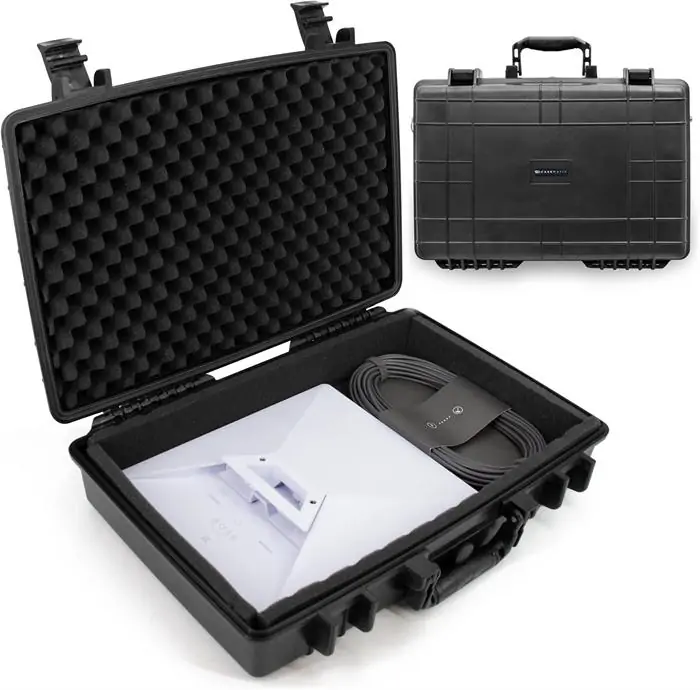
A carrying case is one of the first accessories you should consider.
Starlink Mini is portable, but that does not mean it should be thrown into a trunk, backpack, or storage box without protection. The dish, cable, power supply, and adapters can get scratched, bent, or damaged during travel.
A useful Starlink Mini carrying case should include:
For outdoor users, a waterproof or water-resistant carrying case is even better. It protects your gear from rain, mud, dust, and accidental spills.
A carrying case is especially useful for:
Without a case, the dish may still work, but the setup becomes less organized. You may also lose small parts like power adapters, screws, cable clips, or mounting tools.
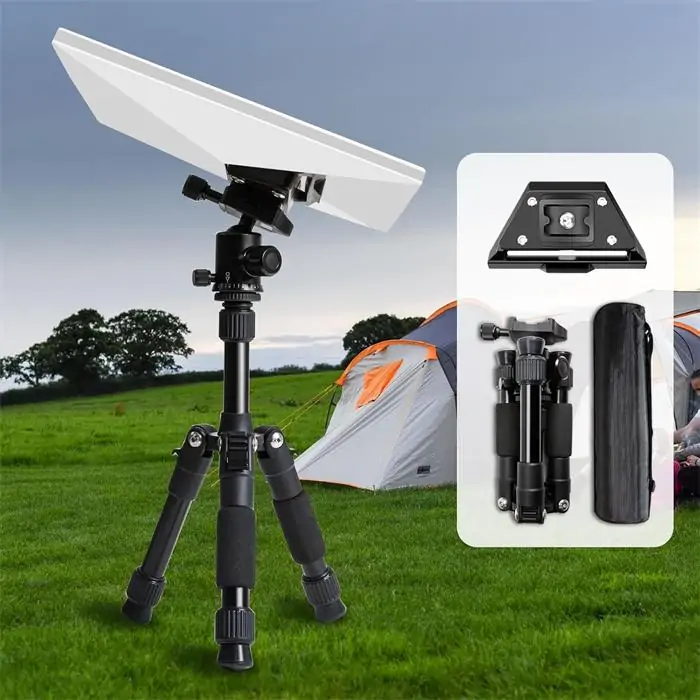
A stable mount is one of the most important Starlink Mini accessories.
The Mini needs a clear view of the sky. If the dish keeps moving, tilting, or falling, the connection can become unstable. A mount helps position the dish correctly and keeps it secure.
A flat mount is a simple choice for users who want to place Starlink Mini on a roof, platform, table, board, or vehicle surface.
It works well when you need:
A flat mount is helpful for RV roofs, worksite platforms, and outdoor setups where you do not want the dish sitting loose.
A magnetic mount is popular for vehicles.
It allows the Starlink Mini to attach to a metal roof or flat metal surface without drilling. This makes it useful for road trips, mobile work, temporary parking setups, and fast deployment.
A good magnetic mount should have:
Magnetic mounts are best for parked use or controlled low-speed scenarios. For moving vehicles, always check the mount’s rating and local safety rules before use.
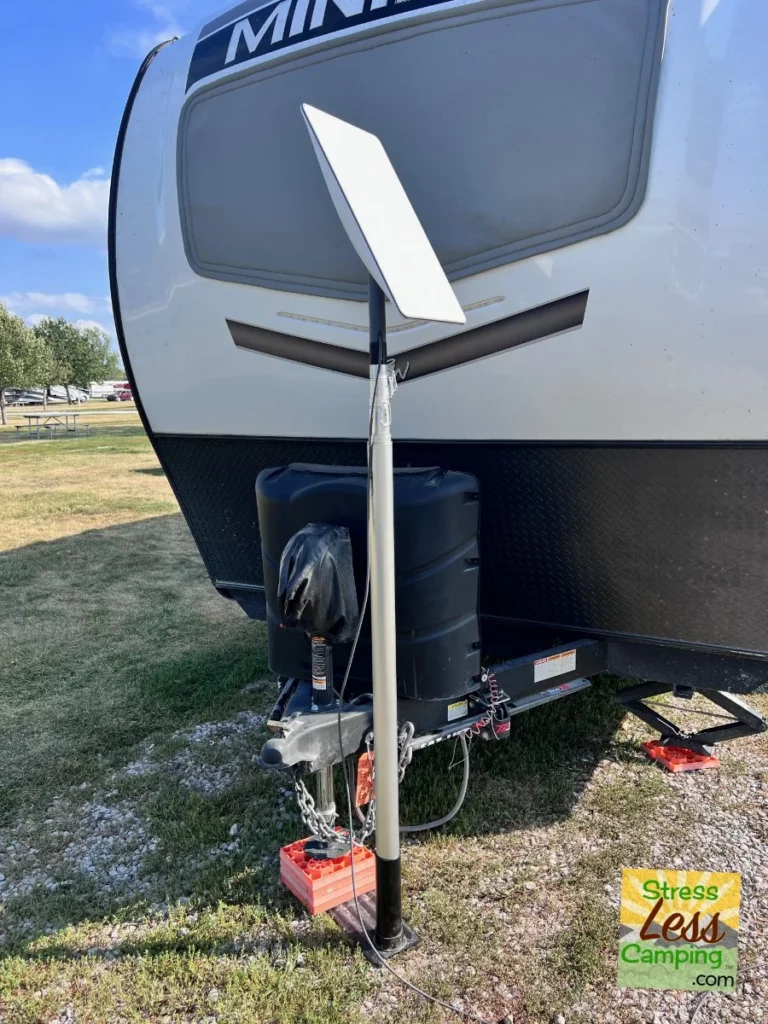
A pole adapter is a strong option when you need height.
It helps lift the dish above obstacles such as:
This is useful because satellite internet performance depends heavily on sky visibility. If trees or buildings block the signal path, a higher mount may improve stability.
Power is one of the biggest reasons people buy Starlink Mini accessories.
The official Starlink Mini support page says the Mini has a 12–48V DC, 60W input rating, while also stating that Starlink only guarantees performance with the included Starlink power supply and cable.
That matters because many users want to power Starlink Mini from a vehicle, power station, battery box, or solar setup. A good 12V/24V adapter can make the setup cleaner and more practical.
Cars, trucks, and RVs do not always provide perfectly stable power.
Common issues include:
A purpose-built Starlink Mini 12V/24V adapter helps reduce these problems.
Choose a Starlink Mini power adapter with:
Some adapters include a voltage display. This is useful because you can quickly check whether the input power is stable.
A 12V/24V adapter is ideal for:
For frequent travel users, this accessory may be more important than a carrying case or mount because power failure means the entire system stops working.
Some users want to run Starlink Mini from USB-C power banks or portable power stations.
Starlink’s Mini specification sheet states that using a Starlink USB-C to barrel jack cable accessory requires 100W, 20V/5A minimum.
That means not every USB-C charger or battery pack will work well. A small phone power bank is usually not enough. You need a high-output USB-C PD source that can provide the correct power level.
Before using USB-C power for Starlink Mini, check:
A USB-C power setup is great for lightweight travel.
It can help when:
For long use, a larger power station or vehicle battery setup is usually better.
Starlink Mini has strong outdoor potential, but cable choice matters.
The official Mini specification sheet says the Mini is rated IP67 Type 4 when the DC power cable and Starlink plug/cable are installed. It also warns that the product is no longer rated IP67 with a standard RJ45 cable.
This is an important detail for outdoor users.
Outdoor setups face:
A poor cable connection can cause power loss, network issues, or water ingress.
Useful cable accessories include:
Keep cables off sharp edges and avoid tight bends. For RVs and trucks, route cables in a way that avoids doors, hinges, hot engine areas, and moving parts.
Starlink Mini has built-in Wi-Fi, so many users do not need Ethernet at first. Still, a wired connection can be useful for some setups.
Ethernet may help when you want to connect:
Wi-Fi is convenient, but wired connections are often more stable for fixed devices.
Use Ethernet when:
Just remember that outdoor water resistance depends on the cable and connector setup. Do not assume any standard cable is safe for wet conditions.
Starlink Mini is valuable and portable. That makes security important.
If you use it at campsites, public events, job sites, or outside a vehicle, an anti-theft accessory can give extra peace of mind.
Look for:
No accessory can make outdoor equipment completely theft-proof, but a security mount can make quick grab-and-go theft much harder.
They are useful for:
If you leave Starlink Mini outside overnight, security is worth considering.
Cable management may sound simple, but it greatly improves daily use.
A messy Starlink Mini setup can create problems. Cables can get stepped on, pinched, tangled, or pulled loose.
A basic cable management kit can include:
These accessories are affordable, but they make the whole kit easier to move and store.
Good cable management helps you:
For users who set up and pack down Starlink Mini often, cable management is not optional. It saves time every trip.
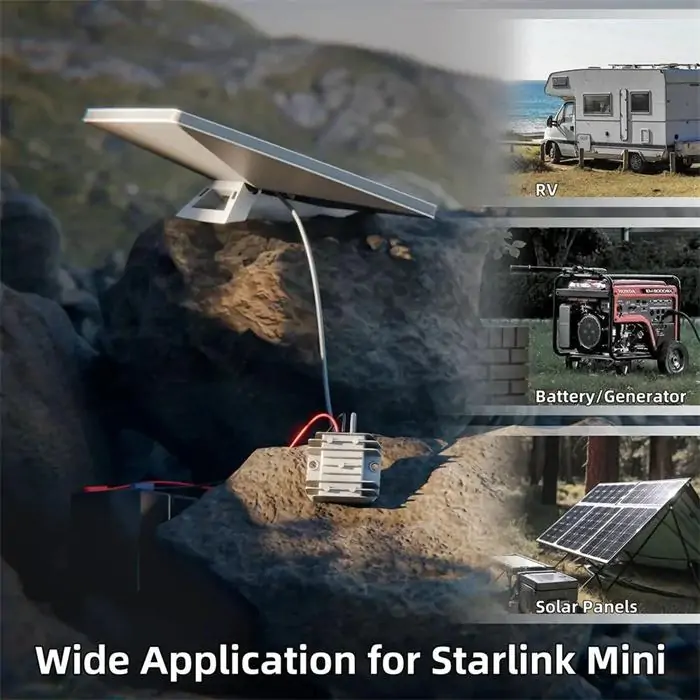
A 12V adapter is great for vehicles. A power station is better when you need Starlink Mini away from the vehicle.
A power station can support:
Before choosing a power station, check:
Since Starlink Mini can average around 25–40W according to the official Mini specification sheet, a power station’s usable battery capacity will affect runtime.
For example, a larger power station may run the Mini for many hours, while a small power bank may only support short use.
Different users do not need the same Starlink Mini accessories.
Recommended accessories:
RV users need stability, power flexibility, and easy storage.
Recommended accessories:
Campers should focus on lightweight gear and battery runtime.
Recommended accessories:
Work truck users need durability and fast setup.
Recommended accessories:
Home backup users need a setup that can be deployed quickly during outages.
Many Starlink Mini users make the same accessory mistakes.
A cheap adapter may look fine, but poor voltage stability can cause connection problems. Always choose a power solution designed for the Mini’s power needs.
Outdoor use requires attention to connectors. Standard cables may reduce water resistance, especially around Ethernet-style connections.
A loose setup can shift in wind or fall from a vehicle roof. A mount should match your usage environment.
A dish that travels often needs a case. Small scratches may not stop the system, but impact damage and bent connectors can become costly.
A camping setup is different from an RV setup. A work truck setup is different from home backup. Choose accessories based on real usage, not just product appearance.
You can use Starlink Mini with the basic kit, but accessories make it safer, cleaner, and easier to use. A mount, power adapter, and carrying case are the most practical upgrades for frequent users.
For travel users, a reliable 12V/24V power adapter is usually the most important. For outdoor storage and transport, a carrying case is also highly recommended.
Yes, it can be powered from suitable DC power sources, but the adapter must match the Mini’s power requirements. Starlink lists the Mini power input rating as 12–48V DC, 60W.
Starlink’s Mini specification sheet lists IP67 Type 4 when the DC power cable and Starlink plug/cable are installed, but it also notes that the product is no longer rated IP67 with a standard RJ45 cable. Cable choice and connector protection matter.
A magnetic mount can be useful for temporary vehicle setups, especially when parked. For driving use, check the mount’s rating, installation method, and local road safety rules.
Yes, but the power bank must support enough output. Starlink’s specification sheet notes that the USB-C to barrel jack cable accessory requires 100W, 20V/5A minimum.
Starlink Mini is compact, portable, and powerful enough for many travel and backup internet situations. The right accessories make it much better.
A carrying case protects the kit. A mount keeps the dish stable. A 12V/24V power adapter helps you use it in cars, trucks, and RVs. Waterproof cable protection improves outdoor safety. A power station supports longer off-grid sessions. Security accessories protect the dish when it is outside.
The best Starlink Mini upgrade is not one single product. It is a balanced setup based on how you actually use the kit.
For most users, the smartest starting combination is:
With these accessories, your Starlink Mini becomes more than a portable satellite internet kit. It becomes a practical internet solution for travel, work, camping, emergency backup, and off-grid life.
More information about Starlink:
Starlink Mini Accessories That Make Your Setup Faster and Safer
How to Choose the Best Starlink Mini Accessories for Optimal Performance
Starlink Parts Buyer Guide: How to Choose the Right Accessories