
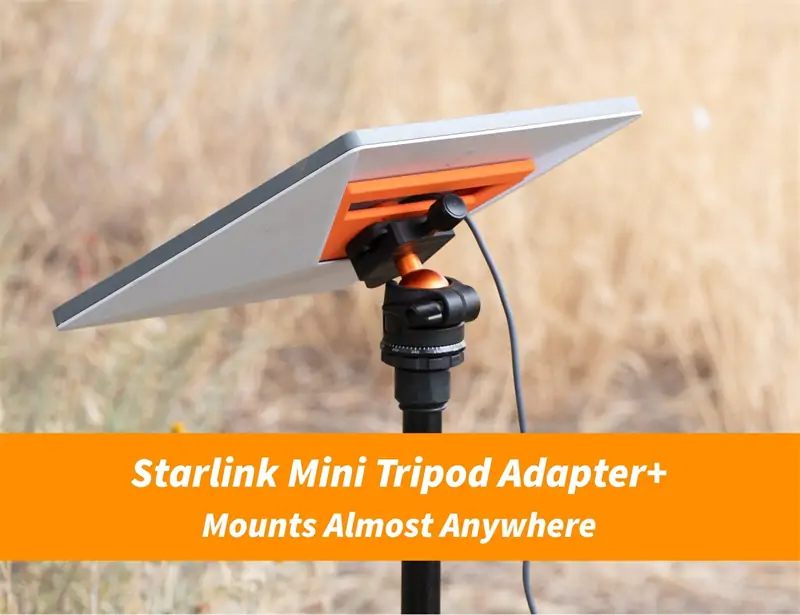
Choosing the best Starlink Mini accessories is not only about buying extra parts. It is about building a setup that gives your Starlink Mini better stability, safer power, cleaner installation, stronger protection, and easier use in real outdoor conditions.
Starlink Mini is designed for portability. It has an integrated WiFi router, so users do not need a separate router for basic setup. Starlink also lists Mini power consumption at around 20–40W average, with a 12–48V DC, 60W input rating. For USB-C PD use, Starlink notes a 100W, 20V/5A minimum requirement when using the Starlink USB-C to barrel jack cable accessory.
That means the right accessories can make a big difference. A weak mount, poor cable, unstable power source, or low-quality carrying case may reduce the performance advantage of the Mini.
This guide explains how to choose Starlink Mini accessories based on real user needs: camping, RV travel, off-grid work, road trips, emergency backup, and portable business use.
Before buying any Starlink Mini accessories, decide where and how you will use the device.
A user who only sets up Starlink Mini on a balcony needs different accessories from someone who uses it on a van, boat, campsite, or remote job site.
If you use Starlink Mini as a backup internet device, focus on:
Home users usually do not need many travel accessories. They need stability and long-term reliability.
Camping users should focus on portability and protection.
Useful accessories include:
Outdoor use creates more risk from rain, dust, mud, wind, and cable pulling. A good carrying case and strong mount are often more important than appearance.
Vehicle users need accessories that can handle movement, vibration, and changing power sources.
The most useful Starlink Mini accessories for vehicles are:
For vehicle setups, power stability is extremely important. A bad adapter may cause restarts, unstable connection, or overheating.
A mount is one of the most important Starlink Mini accessories because the dish needs a clear view of the sky. Even the best power cable cannot fix poor placement.
Starlink Mini uses software-assisted manual orientation and has a wide field of view, according to Starlink’s Mini specification information. Still, trees, buildings, roof edges, and metal structures can reduce performance.
A good Starlink Mini mount should be:
For daily travel use, avoid mounts that feel loose or rely only on weak plastic clips.
| Use Case | Best Mount Type | Why It Works |
|---|---|---|
| Camping | Tripod or ground stand | Easy to move and adjust |
| RV | Roof mount or pole mount | Better sky view and stable position |
| Car travel | Magnetic or suction-style mount | Quick setup and removal |
| Home backup | Wall mount or balcony mount | Cleaner long-term installation |
| Remote worksite | Heavy-duty pole mount | Better stability in open areas |
Many users place Starlink Mini too low.
If the dish sits near a wall, under branches, beside a vehicle, or close to tall objects, performance may drop. The mount should raise the Mini enough to avoid nearby obstruction.
A simple rule works well:
Place it where the sky is open, the cable is safe, and the device cannot easily fall.
Power is the foundation of Starlink Mini performance.
Starlink states that the Mini has a 12–48V DC, 60W input rating, and Starlink only guarantees performance with the included Starlink power supply and cable. This does not mean third-party power accessories cannot work. It means buyers should choose power accessories carefully.
A poor power accessory can cause:
This matters more in vehicles and off-grid setups because power sources change. A car battery, solar generator, portable power station, and USB-C power bank may all behave differently.
Choose a power adapter with:
For USB-C power solutions, Starlink lists a 100W, 20V/5A minimum requirement when using the Starlink USB-C to barrel jack cable accessory. So a low-power USB-C charger may not be enough.
For camping:
For RV and car:
For emergency use:
Good power accessories do not only “turn it on.” They help keep the connection stable.
Cable choice affects both safety and convenience.
Long cables are useful, but longer cables can create more voltage drop if the cable is not designed well. That is why buyers should avoid random low-quality cables.
You may need an extension cable if:
A good extension cable gives you more setup flexibility. This is very useful when trees or buildings block part of the sky.
Before buying a cable, check:
A cable that disconnects easily is not suitable for outdoor use.
Use cable clips, straps, or organizers to prevent pulling.
Loose cables can cause problems:
A simple cable organizer can protect the cable and make the setup look more professional.
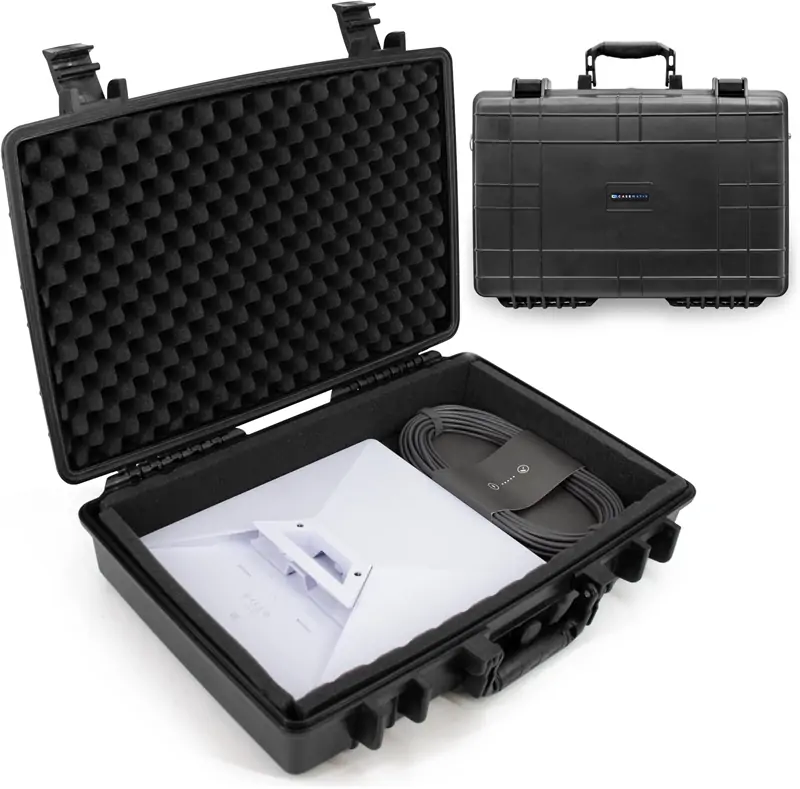
Starlink Mini is portable, but portable does not mean indestructible.
The device may be exposed to vibration, dust, tools, luggage, rain, and pressure during travel. A strong carrying case is one of the best Starlink Mini accessories for long-term protection.
A good case should have:
If you travel often, do not carry the Mini loose in a backpack with tools, chargers, or metal items.
A soft bag is lighter and easier to carry.
A hard case gives better protection.
For serious travel, camping, RV use, or worksite use, a hard protective case is usually better. For simple short trips, a soft padded bag may be enough.
Starlink Mini is built for outdoor use, and Starlink lists the Mini with an IP67 Type 4 environmental rating when the DC power cable and Starlink plug/cable are installed. Still, accessories can change the real-world protection level.
For example, if you use a third-party cable, adapter, or connector, the full setup may not have the same protection level as the original configuration.
Outdoor users should think about:
Weather protection is not only about the Starlink Mini itself. It is about the full system.
Useful weather accessories include:
Keep power stations, adapters, and connectors away from standing water.
Starlink Mini has an integrated WiFi router, so basic users can connect directly without extra equipment. But WiFi range may still be limited by walls, vehicle material, distance, and interference.
Consider a WiFi extender if:
For a small tent or single-room setup, the built-in WiFi may be enough. For larger spaces, a WiFi extender can improve convenience.
Do not assume slow speed always means you need a WiFi extender.
First check:
Fix the physical setup before adding more network equipment.
Not every accessory has the same impact. Some improve performance directly. Others improve convenience or protection.
These accessories usually matter most:
These should come before decorative or minor accessories.
These are useful but depend on your setup:
These are nice to have but not always necessary:
A clean, stable, safe setup is better than a setup with too many parts.
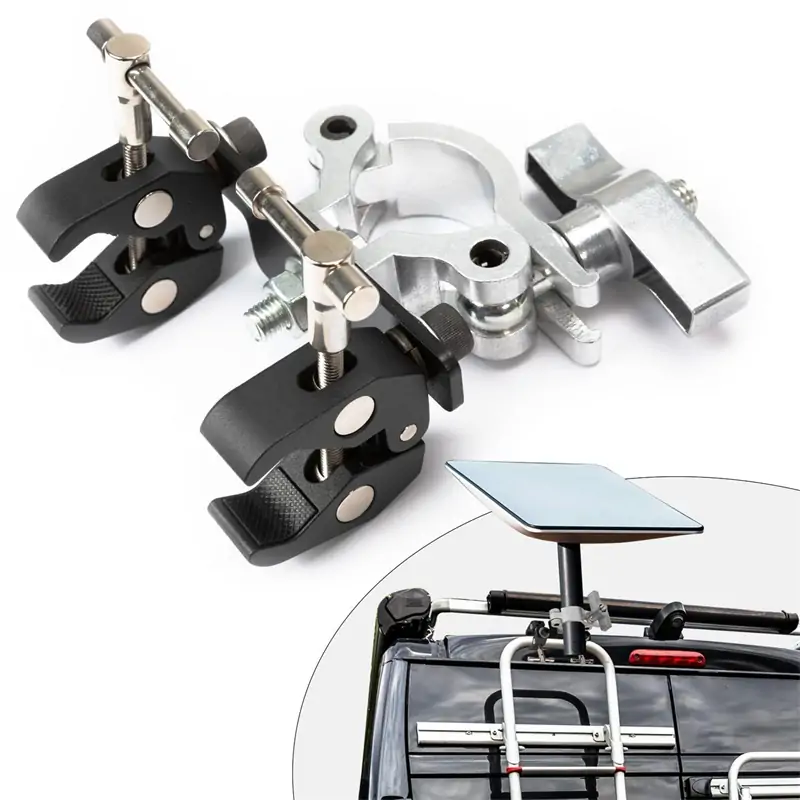
Campers should choose:
This setup is easy to carry and fast to deploy.
RV users should choose:
This gives a cleaner and more stable setup for longer trips.
Remote workers should choose:
Remote work depends on stable connection. Power backup and mount quality matter most.
Emergency users should choose:
The goal is simple: fast setup, reliable power, and easy storage.
A low-quality power cable can cause unstable performance. Power accessories should be chosen carefully because the Mini needs reliable DC power.
A weak mount can move in wind or fall during use. This may interrupt service or damage the device.
Starlink Mini has specific power and connector requirements. Always check product compatibility before buying.
Too many adapters can create weak points. A simple direct connection is usually better.
Many users buy power and mount accessories but forget a case. Travel damage often happens when the device is not stored properly.
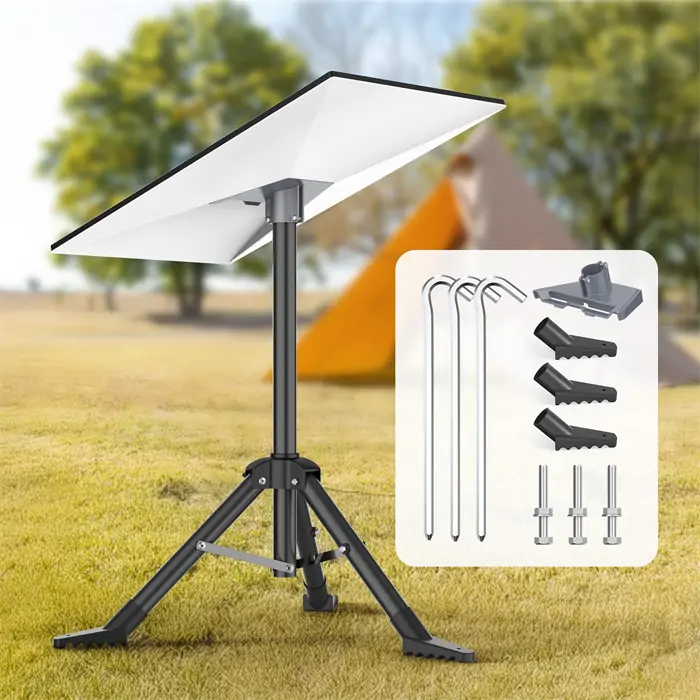
Before purchasing, use this checklist:
If an accessory does not improve performance, safety, protection, or ease of use, it may not be necessary.
Choosing the best Starlink Mini accessories starts with understanding your real setup. A camper, RV owner, home backup user, and remote worker all need different accessory combinations.
For optimal performance, focus first on the essentials:
Starlink Mini is already portable and simple to use. The right accessories make it more stable, safer, and easier to depend on in real conditions.
Do not buy accessories only because they look useful. Choose parts that solve real problems: better sky view, stronger power, safer storage, cleaner installation, and more reliable daily performance.
A well-built Starlink Mini setup should be easy to carry, quick to install, stable in outdoor conditions, and ready whenever you need internet away from traditional networks.
Read More:
Starlink Parts Buyer Guide: How to Choose the Right Accessories
Starlink Parts Guide: What You Really Need for a Stable Setup
Starlink Accessories Store Online: Gen 3 Mount Guide—Magnetic vs Roof vs Tripod